Long-Term Stays & Coworking for Remote Travelers (2026)
Long-Term Stays & Coworking for Remote Travelers (2026)
Finding a place to live and work for a month — or three — used to mean either a painfully expensive hotel, or a long-term lease you'd have to break. In 2026 those aren't your only options. A whole ecosystem of platforms, hostels-with-desks, and global coworking networks has grown up around people who work remotely and move often. This guide covers the long term stays for remote workers: where to book, what to check before you commit, and how to build a productive setup whether you're in a furnished apartment, a hostel, or a standard hotel room.
Quick Answer: For month-to-month furnished apartments, start with Furnished Finder (no tenant fees, 30+ day focus) or Anyplace (work-ready with ergonomic gear). For flexible coworking, IWG/Regus day passes cover 3,000+ locations in 120 countries; Selina memberships bundle coliving and coworking in Latin America and Europe. Negotiate monthly discounts directly with hosts: 10–15% off is realistic, especially if you pay upfront.
Disclosure: This post contains affiliate links. If you make a purchase through these links, we may earn a small commission at no extra cost to you. We only recommend products we genuinely believe in.
Where to Book Long-Term Stays with Good Work Amenities
The right platform depends on how long you're staying and what "work amenities" means to you.
Furnished Finder is the most straightforward option for stays of 30 days or more. It was built for traveling professionals — about 33% of its tenants are corporate travelers and remote workers. Hosts pay a flat $199/year listing fee; tenants pay nothing, which means you're not losing hundreds of dollars to platform fees on a three-month stay. You communicate directly with the property owner, which also makes it easier to negotiate dates, early check-in, or a custom rate.
Anyplace targets the work-specifically-ready end of the market. Every apartment includes a height-adjustable desk, ergonomic chair, ultra-wide monitor, and a private dedicated WiFi connection (not shared with the building). They've expanded to New York, San Francisco, Los Angeles, and Tokyo for 2026. The tradeoff: inventory is smaller than generalist platforms, and prices reflect the premium setup.
VacayMyWay takes a different angle — no guest service fees, transparent pricing, and a rewards program that compounds savings across multiple bookings. It operates as a peer-to-peer marketplace, so listings range from city apartments to beach houses. If you're open to vacation-rental-style properties and want to avoid Airbnb's ~14% guest fee adding up over a month, VacayMyWay is worth comparing directly. (Affiliate link — we may earn a commission at no extra cost to you.)
Airbnb monthly discounts are real but not automatic — more on negotiating them in the section below. For now, the key filter is "Monthly Stay" under duration, which surfaces listings with 28-day discounts pre-set by the host.
Hostels with coworking are the budget layer that most people overlook. If you're spending time in Spain — or anywhere in Europe — many hostel chains now have dedicated coworking desks, fast WiFi, and private rooms at a fraction of the cost of an apartment. Hostelworld's Spain listings cover everything from Barcelona and Madrid to coastal cities — search for "private room" and filter by amenities. (Affiliate link.)
For a broader toolkit when you land somewhere new, our digital nomad starter kit covers the gear and services worth having from day one.
How to Vet Work-Readiness Before You Book
Listings lie — or at least, they omit. "WiFi included" tells you nothing about whether it's fast enough for an eight-hour work day. Here's the checklist we use when reviewing a rental.
WiFi: The Non-Negotiable
Minimum for basic remote work: 25 Mbps download / 10 Mbps upload. This covers email, light video calls, and cloud file sync for one person.
Target for comfortable work: 50 Mbps symmetric. This handles HD video calls, large file uploads, and the occasional second person sharing the connection.
What to actually do: Message the host and ask them to run a speed test at speedtest.net and share a screenshot. If they can't or won't, that tells you everything. Also ask: is the WiFi shared with other units in the building, or is it a dedicated connection? Shared building WiFi degrades badly during peak hours (evenings and weekends when everyone streams video).
Pro tip: Upload speed matters more than most listings mention. Video calls use upload far more than download — 10 Mbps upload is your floor.
Also check latency (ping). Under 50 ms for video calls, under 20 ms for VoIP. A fast download with 200 ms ping will make your calls choppy.
Desk and Ergonomics
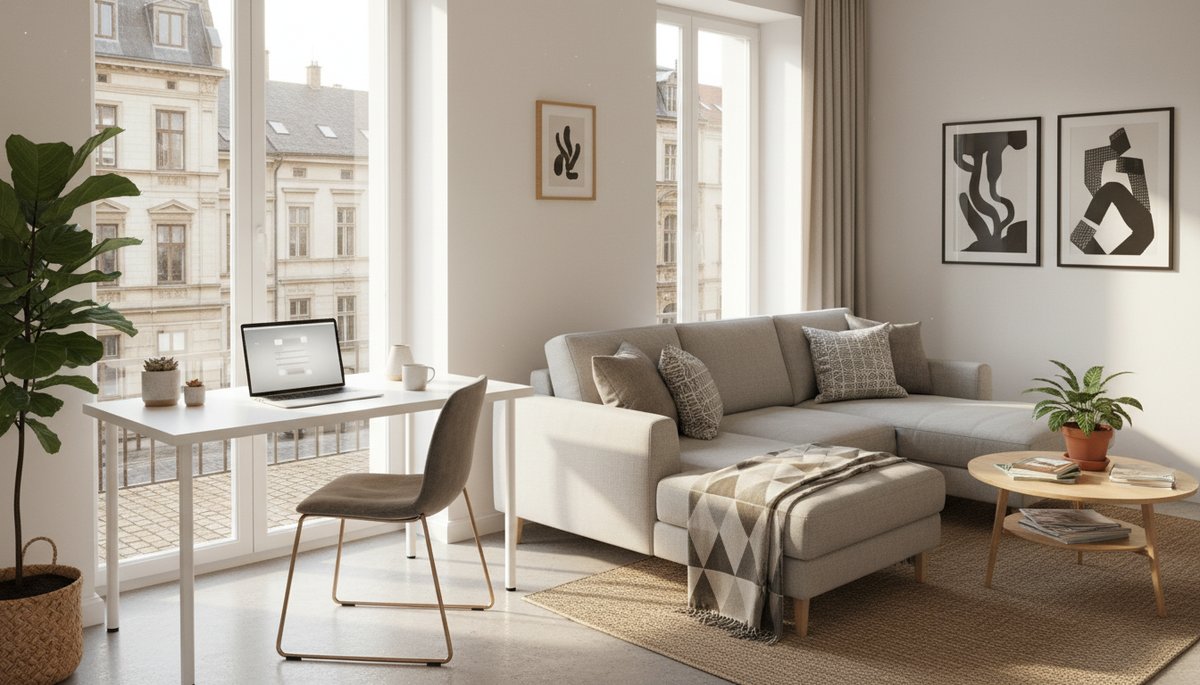
A "workspace" in a listing photo often means a tiny vanity table. Before booking, confirm:
Is there a dedicated desk (not a kitchen counter or coffee table)?
Does the desk chair have back support, or is it a bar stool?
What's the lighting situation — natural light from a window, or a dark corner?
A laptop stand, external keyboard, and mouse are lightweight enough to carry yourself (check our best travel gear for remote workers roundup for packable options), but a bad chair over a month causes real problems. Ask for photos of the workspace specifically, not the living room staging shot.
Noise and Orientation
For video calls and focused work: ask which direction the apartment faces. A listing above a bar district is fine for vacation; it's exhausting for a month of work. Check Google Maps satellite view for nearby nightlife, markets, or construction zones. Reviews that mention "noisy street" are a red flag even if the listing photos are beautiful.
Coworking Day Passes vs. Memberships Across Countries
The coworking calculus is simple: day passes win for short trips, memberships win for stays over two weeks.
When Day Passes Make Sense
A coworking day pass typically costs $25–$50 per session. For a city you're in for five days, buying three day passes ($75–$150 total) costs less than a monthly membership and gives you flexibility to try different spaces.
IWG/Regus is the most globally consistent option for day passes — over 3,000 locations in 120 countries, accessible via their app. Business-grade amenities (meeting rooms, printing, fast WiFi) are standard. For a nomad moving through multiple cities, knowing there's a Regus near the airport or city center in most major destinations is genuinely useful.
Coworker.com aggregates independent spaces worldwide with verified amenity listings. Useful for finding local gems in cities where IWG hasn't scaled yet.
When a Monthly Membership Wins
If you'll use a coworking space 8 or more days per month, a membership almost always beats per-day pricing. Monthly hot-desk memberships run $150–$400+ per month globally, which works out to $18–$50 per day at that usage rate — a significant saving over $35–$50 single-entry passes.
Selina bundles coworking and coliving for digital nomads who want community and don't want to manage a separate apartment. Their monthly rates in Latin America start around $405/month for a dorm-style room + coworking; European locations start around $468/month. For a solo traveler who's happy sharing a kitchen and wants a built-in community of remote workers, the all-in cost is often lower than a separate furnished apartment plus a coworking membership.
The model suits people who want pre-arranged social infrastructure. It's less suited to people who need quiet, dedicated office hours — Selina properties vary significantly in noise levels.
Working remotely in Southeast Asia is where coworking memberships deliver the most value per dollar. For context on how that region has evolved, our working remotely in Southeast Asia guide covers the current options in Chiang Mai, Bali, and beyond.
How to Set Up a Mobile Office in a Hotel Room
Sometimes your only option is a standard hotel, especially when you're transiting between longer stays. With the right approach, a hotel room is workable for a week or two — but only if you treat the setup intentionally.
Step 1: Speed test immediately. Don't wait until your first call to discover the WiFi is broken. Run a test the moment you arrive. If it's under 25 Mbps down or under 10 Mbps up, call the front desk and ask to move to a different floor or wing — speeds vary significantly by distance from access points. If the hotel has Ethernet, use it.
Step 2: Set up before you unpack. Desk position, screen height, and lighting should be your first priority. Move the desk lamp to eliminate glare on your screen. If there's no adjustable lamp, open the curtains to one side for ambient light — but face away from the window so you're not backlit on calls. A laptop stand brings your screen to eye level in under 30 seconds.
Step 3: Book a higher floor. When you're choosing rooms on arrival (or requesting at booking), higher floors reduce street noise dramatically. A room on floor 8 facing an inner courtyard beats a ground-floor room facing the street for an eight-hour work day.
Step 4: Know your backup plan. The nearest coworking space or a café with known-good WiFi. For connectivity backup while you're mobile, our staying connected and insured working abroad guide covers SIM, eSIM, and portable hotspot options worth having in your bag.
Quick test kit to pack: Laptop stand (foldable, ~400g), external keyboard and mouse, a short Ethernet cable (in case the hotel has a wired port), noise-canceling earbuds for calls.
Negotiating Monthly Discounts on Rental Platforms
Most travelers don't realize that monthly rental pricing is negotiable — even on Airbnb and VRBO. Here's the verified playbook.
Airbnb has a built-in monthly discount feature that hosts can set voluntarily. Many hosts set it at 10–20%. When no automatic discount is listed, you can send a special offer request through the app — most experienced hosts expect this for 28-day-plus stays. A realistic opening ask is 20–25% off the nightly rate; 10–15% is where most negotiations land.
VRBO offers weekly (7+ nights) and monthly (28+ nights) discount tiers. Hosts who specialize in extended stays often price them with a 15–25% reduction already built in. Check the "rates" breakdown before messaging — if no long-stay rate is shown, it's worth asking directly.
Direct platforms (Furnished Finder, Anyplace) already price for monthly tenants, so there's less room to negotiate the base rate. The leverage is in extras: ask for the parking spot included, utility caps clarified, or a cleaning frequency adjustment in exchange for a slightly higher monthly payment.
The single most effective tactic across all platforms: offer to pay the full stay upfront. For a host, eliminating cancellation risk and receiving three months of rent in one transfer is worth a real discount — typically an additional 5–10% on top of whatever rate you've negotiated. State this explicitly in your first message, not as an afterthought.
Finding the right long-term base is the foundation of sustainable remote travel. Get the apartment-to-coworking mix right and a month abroad costs the same as a week in a business hotel — with far better productivity. Start by shortlisting platforms that match your stay length and work needs, verify the WiFi before you commit, and don't skip the negotiation step — most hosts building a long-term tenant relationship would rather fill the month at a modest discount than leave it empty.
WORD_COUNT: ~1,610 PRIMARY_KEYWORD_COUNT: 4 FAQ_COUNT: 5
Frequently Asked Questions
Where is the best place to book month-to-month furnished apartments globally?
How do I vet work amenities before booking a long-term rental?
What is the difference between a coworking day pass and a monthly membership?
Can I negotiate a monthly discount on Airbnb or VRBO?
How do I set up a productive mobile office in a hotel room?
You Might Also Like
Travel + Remote Work Briefing — October 1, 2026

Travel + Remote Work Briefing — September 30, 2026
Travel & Remote Work Briefing — September 29, 2026