Best Travel Gear for Remote Workers (2026 Guide)
Best Travel Gear for Remote Workers (2026 Guide)
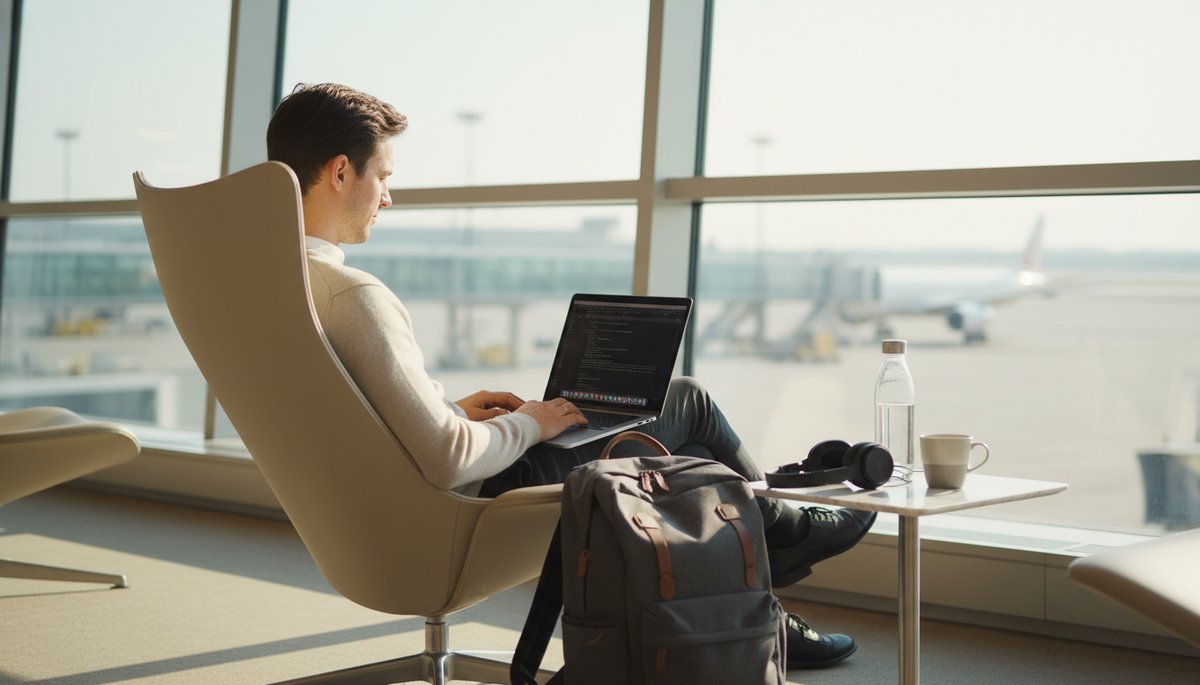
Packing for a work trip is a completely different calculus than packing for a vacation. You need a machine that can run video calls from a café terrace in Lisbon and still survive a 10-hour flight. You need headphones that drown out airport announcements when you're on a deadline. You need a bag that fits under the seat in front of you.
After reviewing the current market and testing gear against real remote-work demands, here is the 2026 field guide to the best travel gear for remote workers — by category, with specific product picks, honest trade-off notes, and what to watch for if you're timing a purchase around Amazon's fall Prime Big Deal Days sale.
Quick Answer: The best travel gear for remote workers in 2026 comes down to six categories: laptop (MacBook Air M3 or Asus Zenbook S14 OLED), backpack (Osprey Farpoint 40), portable Wi-Fi (GlocalMe G4 Pro or Netgear Nighthawk M6), headphones (Sony WH-1000XM5), phone accessories (Anker power bank, Moment lens case), and smart packing habits. Start with the laptop — it's the foundation everything else orbits.
Disclosure: This post contains affiliate links to Amazon. If you buy through a link, we earn a small commission at no extra cost to you. We only link products we'd actually travel with.
Best Laptops for Travel While Working Remotely
The best laptop for travel remote work is the Apple MacBook Air M3 13-inch (2024). It weighs 2.7 lbs (1.24 kg), claims up to 18 hours of battery life, and produces no fan noise — the M3 chip is passively cooled. That means no thermal throttling during a long writing or coding session in a hot café.
The Apple MacBook Air M3 13-inch has a 13.6" Liquid Retina display at 2560×1664 and the 8-core CPU handles everything from browser-heavy research to light video editing without complaint. At 2.7 lbs it genuinely disappears in a bag.
Best Windows alternative: Asus Zenbook S14 OLED. It weighs a nearly identical 2.65 lbs (1.2 kg), ships with a 14" 3K 120Hz OLED display that is objectively better for photo editing and visual work, and claims up to 27 hours of battery. The Ceraluminum chassis is 30% lighter and three times stronger than aluminum — it handles bag-life punishment well. If you live in Windows or need an Intel chip for specific software, the Zenbook S14 is the one.
| Laptop | Weight | Battery claim | Display |
|---|---|---|---|
| MacBook Air M3 13" | 2.7 lbs | Up to 18 hrs | 13.6" Retina IPS |
| Asus Zenbook S14 OLED | 2.65 lbs | Up to 27 hrs | 14" 3K OLED 120Hz |
| Lenovo ThinkPad X9 | 2.4 lbs | Up to 18 hrs | 14" IPS |
Travel tip: Always carry the laptop in a sleeve inside your bag, not loose. If you're building out your full kit, the digital nomad starter kit guide covers protective accessories worth pairing with any of these.
Affordable Portable Wi-Fi Devices for Digital Nomads
The most flexible portable Wi-Fi option for international travel is the GlocalMe G4 Pro, which covers 140+ countries using a CloudSIM — no physical SIM swap required. You buy data through the GlocalMe app on a pay-as-you-go basis, which makes it genuinely useful across short trips to multiple countries where buying a new SIM each time is more friction than it's worth.
The GlocalMe G4 Pro supports LTE-FDD and TDD bands across most international carriers and connects up to 10 devices simultaneously. If you're working from a hotel room with a team on video, that headroom matters.
Best for 5G speed: The Netgear Nighthawk M6 supports 5G mmWave (up to 8 Gbps theoretically), has an unlocked SIM slot for local carrier cards, and handles up to 32 connected devices. It costs more upfront but pairs well with cheap local SIM data rather than pay-as-you-go cloud data. Battery life is 13 hours — workday-length.
For eSIM-first travelers who want data directly on their phone rather than a separate device, see our guide to the best eSIM plans for international connectivity — which covers Airalo and other top providers that work across 140+ countries.
Best Travel Backpacks Designed for Remote Work Gear
The Osprey Farpoint 40 is the most-recommended travel backpack for remote workers, and that reputation is earned. At 40 liters (2,441 cubic inches) it hits the carry-on size limit for most major airlines (22×14×9 inches) while fitting a 15-inch laptop in its padded sleeve, a day's worth of work accessories, and a week of clothes with thoughtful packing.
The Osprey Farpoint 40 weighs 3.5 lbs empty, which is heavy relative to ultralight bags but justified by its build quality. The harness and hip belt are removable — stow them in the dedicated zip-away panel and the bag looks like a normal daypack through security. There is a dedicated external toiletry pocket that fits a quart-sized liquids bag, and a rear panel opening that lays flat for TSA screening without fully unpacking.
If you want lighter: The Tortuga Setout at 45 liters is a popular alternative at roughly the same footprint but with a more structured laptop compartment. The Nomatic 40L Backpack is more urban/minimalist but lacks the padded harness for long walks with a full load.
Want something smaller that also works as a camera bag? The Morro Convertible Backpack is a 22-liter, 1.7 lb daypack with a 16-inch padded laptop compartment — carry-on friendly as a personal item, and it converts into a dedicated camera bag with the separately sold Morro Camera Cube, so remote workers who also shoot photo or video don't need to pack two bags. For days you're bouncing between a co-working space and a café rather than the airport, the Long Weekend Beacon Tote is a lighter 18-liter, 1.2 lb option that still fits up to a 16-inch MacBook Pro.
A 40-liter bag encourages better packing discipline than a larger checked bag — which directly affects how well you travel long-term. Minimal packing is a skill that compounds.
Best Noise-Canceling Headphones for Working in Transit
The Sony WH-1000XM5 is the best noise-canceling headphones for remote workers who spend time in transit. Sony's fifth-generation ANC flagship uses dual processors and 8 microphones to filter ambient noise — it handles airplane cabin hum, café espresso machines, and train station announcements better than most competitors.
The Sony WH-1000XM5 delivers 30 hours of battery with ANC enabled (40 without), and a 10-minute quick charge gives 5 hours of playback. At 250g it's light enough to wear through a full-day layover without neck fatigue. One honest trade-off: the ear cups fold flat in one direction but the overall form factor doesn't collapse as compactly as older Sony models — it's a full-size over-ear headphone that needs its own case or a protective pouch in your bag.
Budget alternative: The Anker Soundcore Q45 delivers solid ANC at roughly a third of the price and folds completely flat. Battery life is similar (50 hours claimed, ANC off). The ANC isn't in the same league as Sony, but for café work it's more than adequate.
Travel-Friendly Smartphone and Accessories for Remote Work
How to choose a travel-friendly smartphone for remote work: Prioritize long battery life, eSIM support (you can keep your home number active while running a local data eSIM simultaneously), and a camera capable of documenting your work setup if you share content.
Both the iPhone 15 Pro and Google Pixel 8 Pro check those boxes. Key difference: the iPhone 15 Pro's Action Button is configurable for quick-access to the camera, flashlight, or a shortcut — genuinely useful for fast documentation on the road.
Accessories worth the bag weight:
- Anker PowerCore 26K — 26,800 mAh, dual USB-C, and enough capacity to fully charge most laptops once plus your phone twice. At around 1.2 lbs it's heavy, but no other single accessory reduces "where's a plug?" anxiety as effectively. USB-C Power Delivery means it charges modern laptops, not just phones.
- Moment Thin Case (iPhone 15 Pro) — Moment makes the best MagSafe-compatible cases for travel photographers and remote workers who create content. The case is compatible with Moment's lens attachments (wide, anamorphic, telephoto), making the iPhone 15 Pro camera meaningfully more capable without a second device. The Olive colorway stays clean through bag life.
What to Watch for During Prime Big Deal Days 2026
Amazon hasn't confirmed 2026 dates yet, but its fall sale, Prime Big Deal Days, is a reliable recurring event — it ran October 8–9 in 2024 and October 7–8 in 2025, so expect it in early-to-mid October 2026. It's a Prime member-exclusive event and, outside of the summer Prime Day sale, it's historically the best window to catch discounts on practical travel tech like the laptops, power banks, and headphones covered in this guide. The smart approach: build your gear list now (bookmark this guide) and check current pricing when the event lands, rather than assuming a "deal" badge is automatically the lowest price you'll find.
Minimal-Packing Travel Gear and Smart Setup Tips
Where can I find reputable travel gear designed for minimal packing? The best sources are specialty travel brands (Osprey, Tortuga, Peak Design, Tom Bihn) rather than general outdoor retailers. Each of these companies designs with the "one bag, carry-on only" traveler in mind — rather than adding features until the bag hits maximum capacity.
Key minimal-packing principles for remote workers:
- One bag rule. If it doesn't fit in a 40L carry-on, reconsider the item, not the bag size. You can do 2–3 weeks of remote work travel from a 40L with the right packing cubes.
- Cables consolidation. One USB-C cable handles charging for modern laptops, phones, and earbuds. A 3-in-1 cable (USB-C + Lightning + Micro-USB) covers everything older. Eliminate the tangle.
- Multi-purpose gear over single-use. A good pair of noise-canceling headphones covers flights, focus work, and calls — three use cases, one device. The Anker power bank covers laptop + phone + earbuds — one device.
- Tech bag vs. main bag. Keep all your gear (laptop, cables, hard drives, hotspot) in a dedicated tech organizer inside the main pack — something like the Moment Everything Mini Tech Organizer, a compact, weatherproof pouch built specifically for cables, chargers, and memory cards. Airport security runs faster, and you never dig for the charging cable under your clothes.
For a complete checklist of remote-work travel essentials — including travel insurance, sim cards, and health coverage — the staying connected and insured while working abroad guide is a useful companion to this one.
Setting Up a Mobile Office in a Hotel Room
How to set up a mobile office in a hotel room: The fastest setup that actually works for video calls and deep work involves four elements — a dedicated screen position, a reliable data source, sound isolation, and power management.
- Screen position: Angle the laptop so light from the window hits your face, not the screen. Avoid sitting with your back to a bright window (backlight kills video call quality). A portable laptop stand (Peak Design Travel Tripod doubles as one in a pinch) elevates the screen to eye level, which also helps neck posture on long days.
- Data: Always test the hotel Wi-Fi first. If it's under 10 Mbps or unstable, switch to your portable hotspot or eSIM data. Never assume hotel Wi-Fi is adequate for video calls.
- Sound: Put on the ANC headphones and use a dedicated microphone app (on Mac: SpeakLine; or a lapel mic clipped to your shirt collar) rather than the laptop's built-in mic, which picks up room echo.
- Power: Find every outlet in the room before you sit down. Most hotel rooms have more plugs than they appear to at first. The Anker PowerCore 26K means you never need to sit near an outlet just to keep working.
Reviewing the remote work gear market in 2026, the clearest trend is convergence: laptops are getting lighter without sacrificing battery life, noise-canceling technology is becoming standard-tier rather than luxury, and the portable hotspot category now includes genuine all-country solutions. The best travel gear for remote workers isn't the most expensive kit — it's the kit that disappears into your workflow so you're thinking about the work, not the tools.
If you're starting from scratch, the digital nomad starter kit guide covers the full picture including insurance, bank cards, and coworking memberships alongside gear.
Our Top Picks

Morro Convertible Backpack, Black
Built for adventure, ready for anything. Whether it's school, hikes, or road trips, this backpack keeps you organized with dual front pockets, multiple access points, and a dedicated 16” laptop compartment. Pair it with Everyday Zip Pouches for next-level organization, or add the Morro Ca

Beacon Tote - Open Box, Black
Note: This product is Open Box. Returned, but never used. Designed for shooting all week and road-tripping all weekend. The 18L Beacon Tote holds all the essentials with a zippered main compartment with a padded laptop sleeve, key loop, and water bottle pocket. The additional exterior quick acce

Everything Mini Tech Organizer - Open Box, Workwear
The micro tech pouch for those who like to pack light. We’ve used our fair share of tech organizers and realized bigger isn’t always better. Not only does this one take up less space in your bag, it has just enough room for your essentials. With simple organization, it provides just enough storage t
Frequently Asked Questions
What is the best laptop for travel while working remotely?
What is the best portable Wi-Fi device for international digital nomads?
Are noise-canceling headphones worth it for remote workers in transit?
What travel backpack fits a 15-inch laptop and still qualifies as carry-on?
How do I set up a reliable mobile office when traveling and working remotely?
You Might Also Like
Travel + Remote Work Briefing — October 21, 2026
Travel + Remote Work Briefing — October 20, 2026
Travel + Remote Work Briefing — October 19, 2026